


Gopoto.id The printer is one of the most important components in a photobooth business. No matter how great the concept and decor you prepare, if prints are slow, use a lot of ink, or the quality is blurry, client satisfaction can drop sharply. Unfortunately, many photobooth business owners still pick a printer simply because it is cheap, without considering long-term needs.
Why Choosing the Right Printer Matters So Much for the Quality of a Photobooth Business
A printer is not just a printing tool, but also a reflection of your business's professionalism. The right printer will:
- Shorten visitor waiting time during events
- Produce photos with sharp, long-lasting colors
- Reduce operating costs in the long run
- Reduce the risk of equipment failure during important events
So, choosing a printer is not a decision to be made carelessly.
Learn the Types of Photobooth Printers
Before buying, first understand the types of printers commonly used in photobooth businesses.
Dye Sublimation Printer
This type is the most widely used by photobooth business operators because its prints are waterproof, don't fade easily, and have more vivid colors. Suitable for both outdoor and indoor events that require high-quality prints.
Inkjet Printer
Inkjet printers are generally more affordable, but their prints are prone to smudging if exposed to water, and their printing speed tends to be slower than dye sublimation. This type is more suitable for small-scale or newly starting businesses.
Thermal Printer
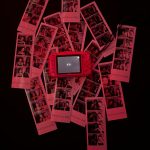
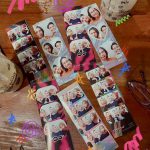
Thermal printers are often used for small instant prints such as photo strips. Their advantage is high printing speed, although the choice of print sizes is more limited.
Consider Printing Speed
At events with many guests, printing speed greatly affects customer satisfaction. Choose a printer with a short print time, ideally under one minute per sheet, so guest queues don't pile up and the event flow stays smooth.
Check Capacity and Durability for Long Use
Photobooths are usually used for hours continuously during one event. Make sure the printer you choose has
- High daily print capacity (based on the duty cycle specification)
- Machine durability for nonstop use
- A product track record with minimal overheating or paper jam issues
Printers with a low duty cycle tend to break down quickly if forced to work for long periods.
Calculate the Operating Cost per Printed Sheet
A cheap printer is not necessarily economical in the long run. Also factor in the price of ribbons or cartridges: some printers have a low unit price but expensive consumables (ribbon/ink), so the cost per printed sheet ends up higher. Calculate the total cost of paper and ink/ribbon divided by the number of sheets produced per pack, then compare with other printers. This will give you a clear picture of long-term profitability.
Choose Print Sizes Based on Market Demand
Match your printer choice with the products that sell best in your target market. If most of your clients order photo strips, choose a printer that is efficient for small sizes. However, if you also serve 4R or polaroid prints, make sure the printer supports multiple sizes without sacrificing speed.
Consider Portability for Mobile Needs
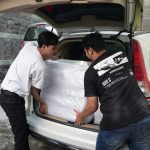
Photobooth businesses often move locations to follow client events. Choose a printer that is lightweight, easy to disassemble and reassemble, and resistant to shocks during transport. A printer that is too heavy and fragile will make operations difficult, especially for outdoor events or remote locations.
Check Availability of After-Sales Service
A printer that has problems in the middle of an event can damage your business reputation. Before buying, check first
- whether an official warranty is available in Indonesia
- whether spare parts and consumables are easy to obtain
- whether there is official service or an experienced technician community for that brand
Make Sure of Compatibility with Photobooth Software
Even the best printer won't perform optimally if it is not compatible with the photobooth software you use. Before buying, make sure
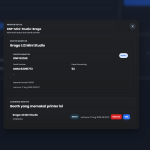
the printer supports a stable driver for your booth software (GLAVA, DSLR booth, etc.)
reviews are available from fellow photobooth business owners who have used that printer and software combination
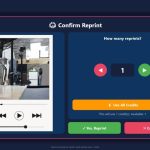
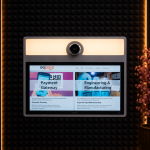
Hereis the photobooth software GLAVA is of course already compatible with the printers commonly used for photobooth needs
In short, choosing the right photobooth printer is not just about the initial price, but also about considering print speed, durability, operating costs, software compatibility, and after-sales service. Investing in a quality printer will directly affect client satisfaction and the long-term sustainability of your business.
Looking for photobooth software that is already compatible with the printers commonly used in photobooths? GLAVA software is of course supported and ready to help your photobooth operations! Contact WhatsApp number 087788168555 for more information

























Leave a Reply