


Managing a business network photobooth or photobox in various locations, such as shopping centers, tourist attractions, and event venueshave their own operational challenges. One of the main problems most often complained about by operators is the risk of the printer running out of paper during peak hours. When a paper roll runs out without being detected, the impact can be very damaging: visitor queues are disrupted, customer complaints arise, transactions are missed, and an emergency refill trip to the location may be needed.
To address these operational challenges, Glava from GoPoto introduces a system update that now officially supports reading the remaining paper on the printer Kodak 305 directly real-time. Kodak 305 joins the lineup of dye-sublimation other popular printers previously supported via direct API, namely Fujifilm ASK-400, DNP RX1, DNP RX1HS, and DNP DS620.
Multi-Location Photobooth Printer Management Challenges
Until now, knowing the remaining paper capacity in a printer photobooth usually requires operators to physically check each unit one by one. For business owners with many booths spread across widely dispersed locations, this manual method is highly inefficient in terms of time and operating costs.
Manual checking often triggers two main problems:
Refilling Paper Too Early: Operators replace paper rolls before they are fully used up out of fear of running out during busy hours, which makes stock recording confusing.
Running Out of Paper During Peak Hours: The machine stops working while visitors are crowded, causing loss of potential revenue (lost revenue) and decreasing customer satisfaction.
The paper media capacity monitoring feature, available directly from dashboard Glava is the answer to efficient fleet management photobooth without having to check the location directly at all times.
2 Methods for Reading Remaining Paper on the Glava Dashboard
The Glava system is designed to be flexible in supporting the various hardware ecosystems used by vendors photobooth. To monitor remaining paper, Glava provides two main methods:
1. Accurate Reading via Direct API
This method is the highest standard in hardware monitoring. Glava communicates directly with the printer system to retrieve actual data automatically real-time without requiring manual input.
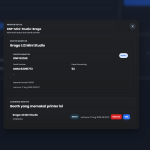
Through this direct API connection, dashboard Glava can display key data precisely, such as:
Remaining Paper Available: Shows the percentage or amount of remaining print media inside the printer accurately.
Current Printer Status: Knowing whether the printer is ready to operate, error, or out of paper.
Printer Serial Number: Simplifies inventory management and tracking of printer units during the process maintenance or troubleshooting.
List of Printers That Support Direct API in Glava:
Kodak 305 (Latest Support)
Fujifilm ASK-400
DNP RX1
DNP RX1HS
DNP DS620
With Kodak 305 added to this list, business owners who rely on Kodak printers now get the same level of data accuracy as users of DNP and Fujifilm printer series.
2. Countdown Method for Other Printers
For other printer types photobooth that do not yet support direct API integration, Glava still provides a solution in the form of a countdown method (countdown).
The workflow of this method is as follows:
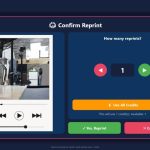
The operator resets the print counter (print counter) each time dashboard a new paper roll is installed.
The Glava system will count down the estimated remaining paper based on the number of photo sheets already printed.
Although it requires a manual step when replacing the roll, this method still provides a useful estimate for planning refills.
Why Support for Kodak 305 Matters So Much
The Kodak 305 printer is very popular among business owners photobooth thanks to its design compact, high reliability, and print efficiency. This printer is often the top choice for photobox minimalist or portable booth events.
Before this update, Kodak 305 users had to rely on manual estimates or countdown-based monitoring. Now, with direct API integration in Glava, the robust performance of Kodak 305 hardware pairs perfectly with the convenience of software centralized monitoring.
Key Benefits for Operators & Photobooth Business Owners
Full integration of Glava with Kodak 305, Fujifilm, and DNP brings several real benefits:
Operational Efficiency: No need to visit every booth unit just to check the remaining paper physically.
Minimal Service Disruption: Paper refills can be planned and scheduled carefully before the paper runs out completely.
More Transparent Data: Printer status and serial number information helps speed up maintenance and handling of technical issues.
Business Scalability: Ideal for managers with many units photobooth across various cities or locations at once.
Conclusion
The addition of remaining paper monitoring support for Kodak 305 further completes the ecosystem Glava in delivering efficient, modern, and photobooth hassle-free operations. Whether through direct API reading for supported printers or the countdown method for other types, business owners photobooth now have full control over the condition of their devices from a single dashboard.
This feature is already active and can be enjoyed immediately by all Glava users. Keep monitoring dashboard your Glava and make sure paper refills are always on time for a hassle-free visitor experience!




































Leave a Reply