

Starting a photobooth business can feel confusing when you’re faced with two options: using a tablet/iPad, which seems simple, or a computer, which feels more “serious.” It’s a fair question, because at first glance both systems can produce great-looking photos. But once you get into the details of cost, quality, and printer setup, the differences become much more significant. Let’s break it down one by one so you can make the right choice from the start.
As for photo quality, here’s the difference
system based Computer It is usually paired with a proper DSLR or mirrorless camera, such as the Canon 1200D or 1300D for an entry-level setup, the Canon 80D for more premium results, or the Canon R100 if you want to move into mirrorless with faster and more stable autofocus. The result is clearly sharper and looks more professional, making it ideal for large-format prints or clients who expect studio-level quality.
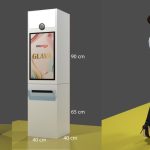
Glava, GoPoto software is indeed built specifically for computer-based systems like this. At the moment, Glava focuses on supporting Canon cameras that are compatible with Canon’s official control system (EDSDK), including both DSLR and mirrorless models such as the R100.
iPad It was once closely associated with the tablet’s built-in camera, which produced only average results. But now, some iOS apps can be connected to DSLR or mirrorless cameras via an OTG cable, so photo quality can improve as well. The problem is that OTG app support on iOS is still limited, and not every app-and-camera combination works smoothly right away.
Android tablet It is actually more open to OTG connections because the system is designed to be more flexible with external devices. But since Android hardware varies widely by brand and model, stability also varies. What works smoothly on one tablet may not run as well on another.
It’s important to be honest: this kind of random camera disconnection is not exclusive to tablets. In a computer-based system, the USB cable to the camera can also disconnect, especially when it’s running nonstop for hours in a busy venue. The solution is the same on both platforms: turn the camera off and on again, then unplug and reconnect the USB cable. No system, including Glava, can fully fix this kind of physical issue remotely. So if someone claims their system is “anti-disconnect,” that claim should be treated with caution.
If the underlying problem is the same, what actually makes them different?
Because USB cable disconnections can happen on any system, the more realistic comparison is not about which one is less likely to disconnect, but about the supporting ecosystem around the system. This is where computer-based systems, especially Glava, have a more concrete advantage:
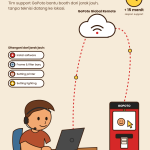
- Additional device integration. Desktop systems are much more open to connecting peripherals such as RFID access cards, coin acceptors, and even automated lighting controls. GoPoto itself has already built an automatic lighting control module for its booths, something that is much harder to achieve in the closed iOS ecosystem, or even on Android.
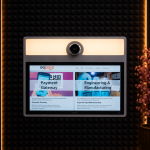
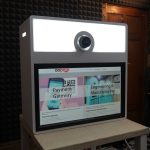
- A complete payment gateway. Glava dashboard supports QRIS through Midtrans, Doku, and Xendit at the same time, as well as access cards/RFID, so you can switch payment processors without changing the system.
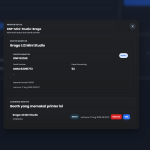
- Operational monitoring from the dashboard. Glava already has a feature that lets you monitor the remaining printer paper directly from the dashboard, so you can know when to restock before the paper actually runs out during busy hours, without having to wait for a report from the venue.
This kind of combination of business features and peripherals is usually hard to match by generic tablet apps, which generally focus only on the take-photo-print function with little room for operational customization.
Cost Breakdown: iPad vs Android Tablet vs Computer
This is an estimated price range as of August 2026, so please treat it as a general reference because real-world prices can go up or down depending on whether the item is new or used, as well as any ongoing promotions.
Option iPad + OTG
| components | Cost Estimate |
|---|---|
| New entry-level iPad, enough for OTG | Rp6.000.000 – Rp10.000.000 |
| OTG adapter and cable | Rp100.000 – Rp300.000 |
| DSLR/mirrorless camera (optional, for better quality) | Rp6.000.000 – Rp13.000.000 |
| Total without DSLR | ~Rp6 – 10 juta |
| Total with DSLR via OTG | ~Rp12 – 23 juta |
Android tablet + OTG option
| components | Cost Estimate |
|---|---|
| Entry-level to mid-range Android tablets that support OTG. | Rp2.000.000 – Rp6.000.000 |
| OTG adapter and cable | Rp50.000 – Rp200.000 |
| DSLR/mirrorless camera (optional, for better quality) | Rp6.000.000 – Rp13.000.000 |
| Total without DSLR | ~Rp2 – 6 juta |
| Total with DSLR via OTG | ~Rp8 – 19 juta |
Opsi Komputer + Kamera DSLR/Mirrorless (Glava)
| components | Cost Estimate |
|---|---|
| Mini PC dengan spek cukup untuk photobooth (harga memang sudah naik dibanding beberapa tahun lalu) | Rp5.000.000 – Rp10.000.000 |
| Touchscreen display for visitor interaction. | Rp1.500.000 – Rp3.500.000 |
| Canon cameras compatible with EDSDK, entry-level models (such as the 1200D/1300D, or the R100 for mirrorless). | Rp6.000.000 – Rp13.000.000 |
| Glava Software | According to the partnership scheme with GoPoto. |
| Total excluding software | ~Rp12,5 – 26,5 juta |
It’s clear that Android is the most budget-friendly at the entry point, iPad sits in the middle, and a computer is slightly more expensive because it needs a separate touchscreen display. But once all options are equipped with DSLR/mirrorless cameras for the same level of quality, the gap is not as wide as most people think. The real difference lies in the supporting ecosystem and business features, and those benefits only become noticeable after the booth has been running for several months.
Don’t Forget, the Photo Printer Still Needs a Computer or Mini PC
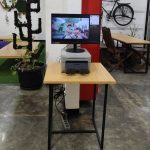
This is often overlooked when people choose tablets for the sake of simplicity. If you want to use professional photo printers such as the Fujifilm ASK-400, DNP DS-RX1HS, Kodak 305, or Kodak 605, both iPad and Android tablet systems still require an additional computer or mini PC as a print server. These printers are designed to connect via USB to a Windows-based system, not directly to a tablet or iPad.
So if you choose a tablet to save money, once you upgrade to a professional printer, you still have to add a mini PC behind it. In the end, the total investment ends up close to, or even higher than, a computer-based system from the start, because you’re buying two devices—a tablet and a mini PC—instead of just one.
If your goal is high-quality studio-grade physical prints, building a computer-based system like Glava from the start is actually more cost-effective in the long run. There’s no need to buy a tablet first and then add a mini PC later just to handle the printer.
Features and Technical Support, Not Just the App
This is what makes a “do-it-yourself” photobooth business different from one that works with a partner like GoPoto. If you use a tablet with a generic app, you are usually limited to that app’s built-in features, and it is difficult to request custom features that fit your business needs.
With Glava, you can:
- A photo display and flow that can be customized to match your own brand.
- Support for printing to professional printers.
- Direct technical support from the GoPoto team, not just an app you have to learn on your own.
- Experience from a partner that has handled photobooth units in various cities across Indonesia.
This is usually what separates a photobooth business that only lasts a few months from one that truly grows into multiple branches.
If you need to move locations quickly, a tablet is definitely more practical.
For one-off events that need quick setup and teardown, a tablet is certainly easier to carry anywhere. But if your goal is a permanent unit in a mall, cafe, or tourist spot, and you plan to add more locations later, that initial setup convenience becomes less important than the ecosystem and long-term quality.
So, which one is better for you?
| Needs | Recommendation |
|---|---|
| Try it first, with a very limited budget, and no need for a professional printer | Android tablet |
| Want a more premium and consistent tablet experience, with a slightly more flexible budget | iPad |
| Serious about building a business, want consistent photo quality and easy scalability | Computer + Glava |
| Installed permanently in one location or more | Computer + Glava |
| Want to use a professional printer | Computer + Glava, because even a tablet still requires an additional mini PC |
| Need complete business features and technical support, not just an app | GoPoto |
Many people start with a tablet because it’s cheap, but once the business gets serious and needs more complete features and easier management, especially when they start considering a professional printer, most eventually switch to a computer-based system anyway. If you want to start right away with the right foundation without having to change systems and buy hardware twice later, Glava from GoPoto is a safer starting point for your business growth.
Still unsure which one best fits your needs? Contact the GoPoto Indonesia team now via WhatsApp at +62 877-8816-8555 for a free consultation. We’ll help compare the options based on your budget and booth location, at no cost!































Leave a Reply